Over the holidays and early January I had some fun with Claude Code and made some big changes to NuGet Trends — including resolving years-old tickets along the way.
TL;DR
- Target Framework Adoption — see how many NuGet packages target each framework version over time.
- Trending This Week — discover packages gaining momentum right now.
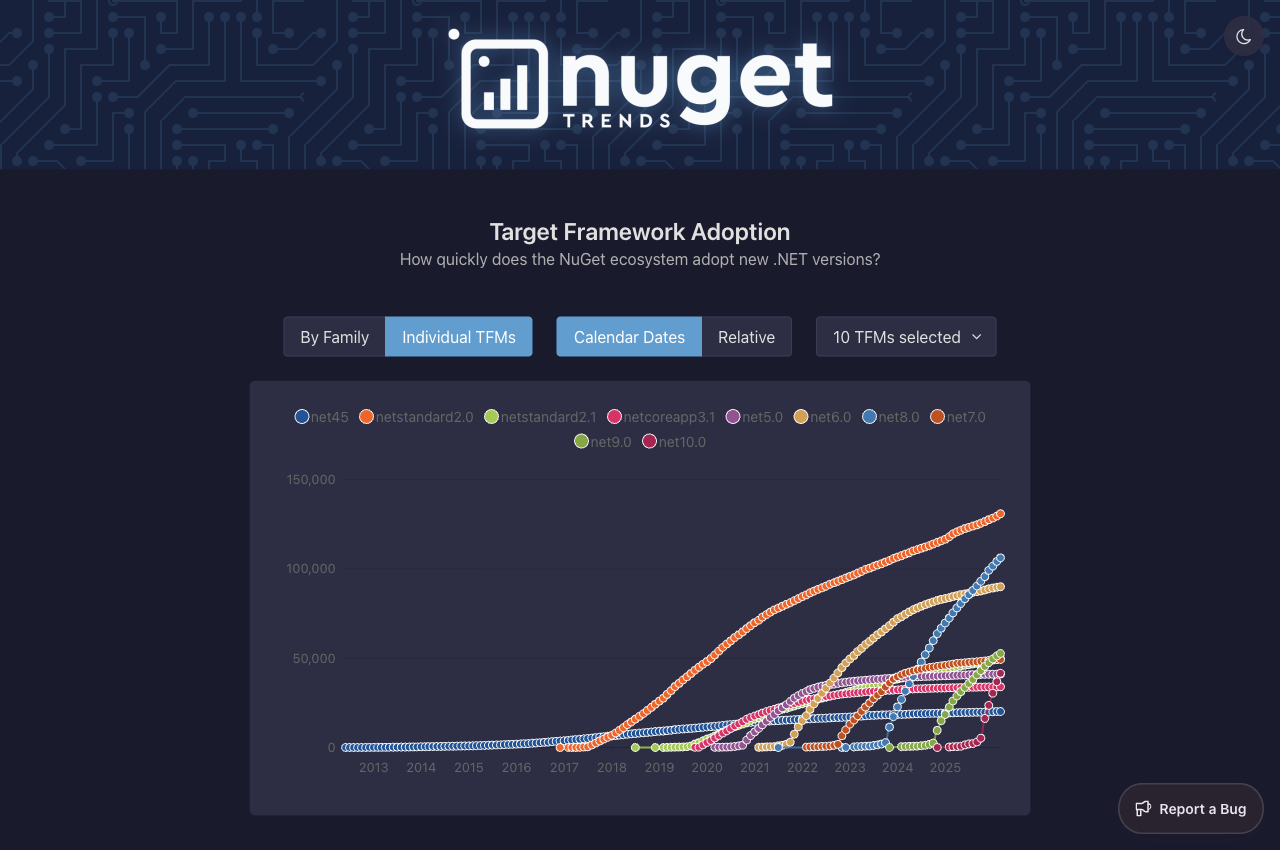
- Dark mode — system, light, and dark themes.
- Blazor rewrite — the Angular frontend was replaced with Blazor (SSR + WebAssembly).
- New charting — Blazor-ApexCharts replaced Chart.js.
- ClickHouse — download data moved from PostgreSQL to ClickHouse. Blazing fast, again.
- Aspire — local development orchestration replaced docker-compose.
The project is open source under dotnet/nuget-trends and we’d love contributions.
Target Framework Adoption
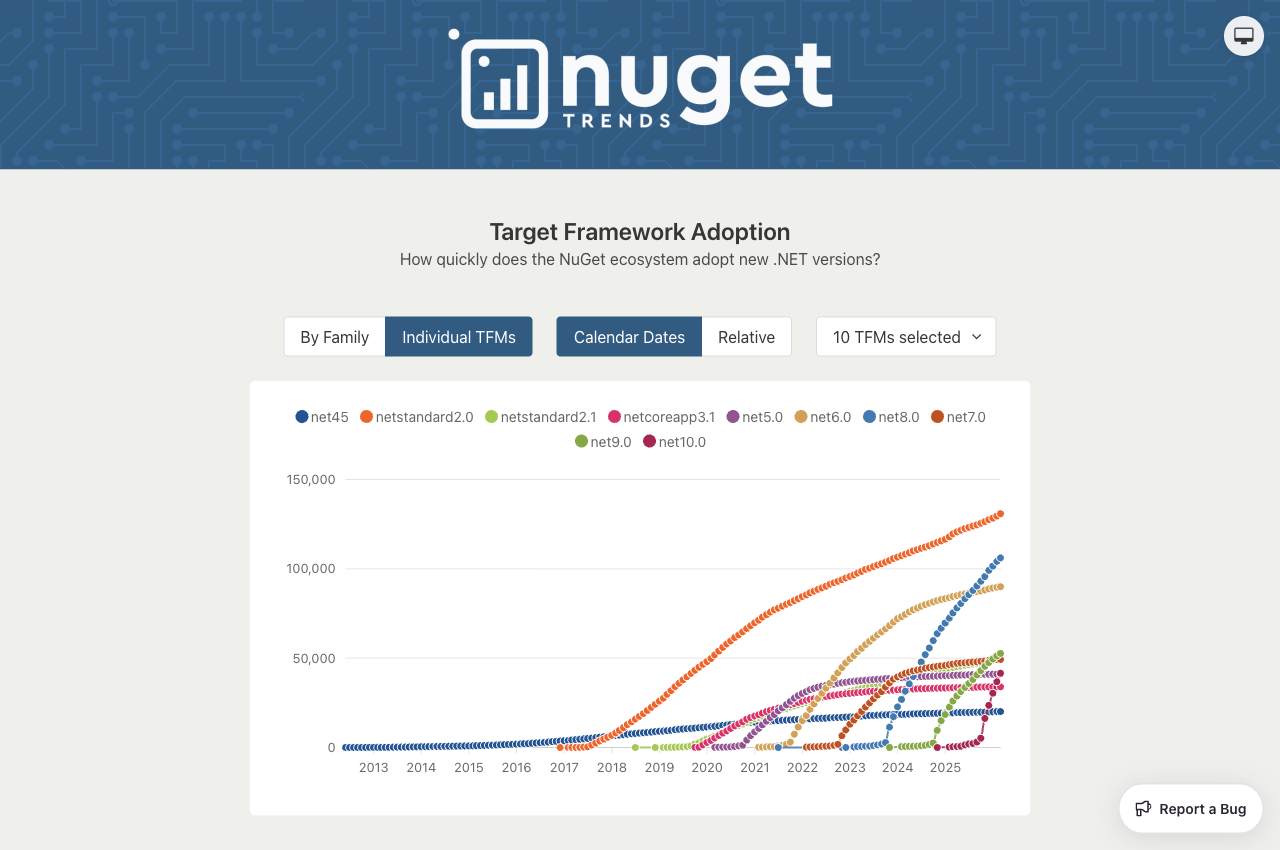
This is the headline feature. Ever wondered how quickly the .NET ecosystem moves to new framework versions? Now you can see it.
The new Frameworks page shows how many NuGet packages are published targeting each Target Framework Moniker (TFM) over time. To be clear, “adoption” here is measured by how many packages are created with that TFM — it’s a proxy for how quickly library authors embrace new .NET versions.


You can filter by individual frameworks or by family (e.g., all net8.x variants), and toggle between absolute and relative views. The state syncs to the URL, so you can share a link to the exact view you’re looking at.
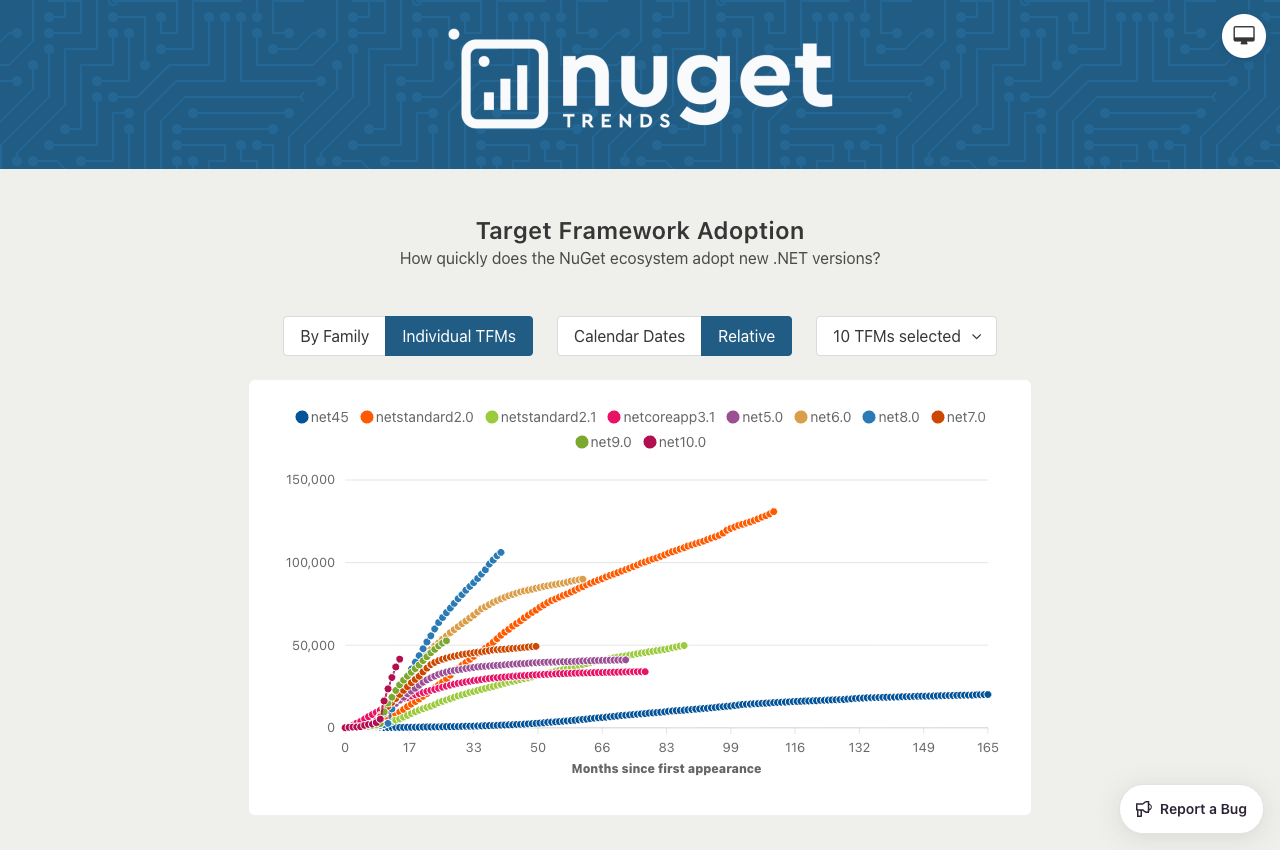
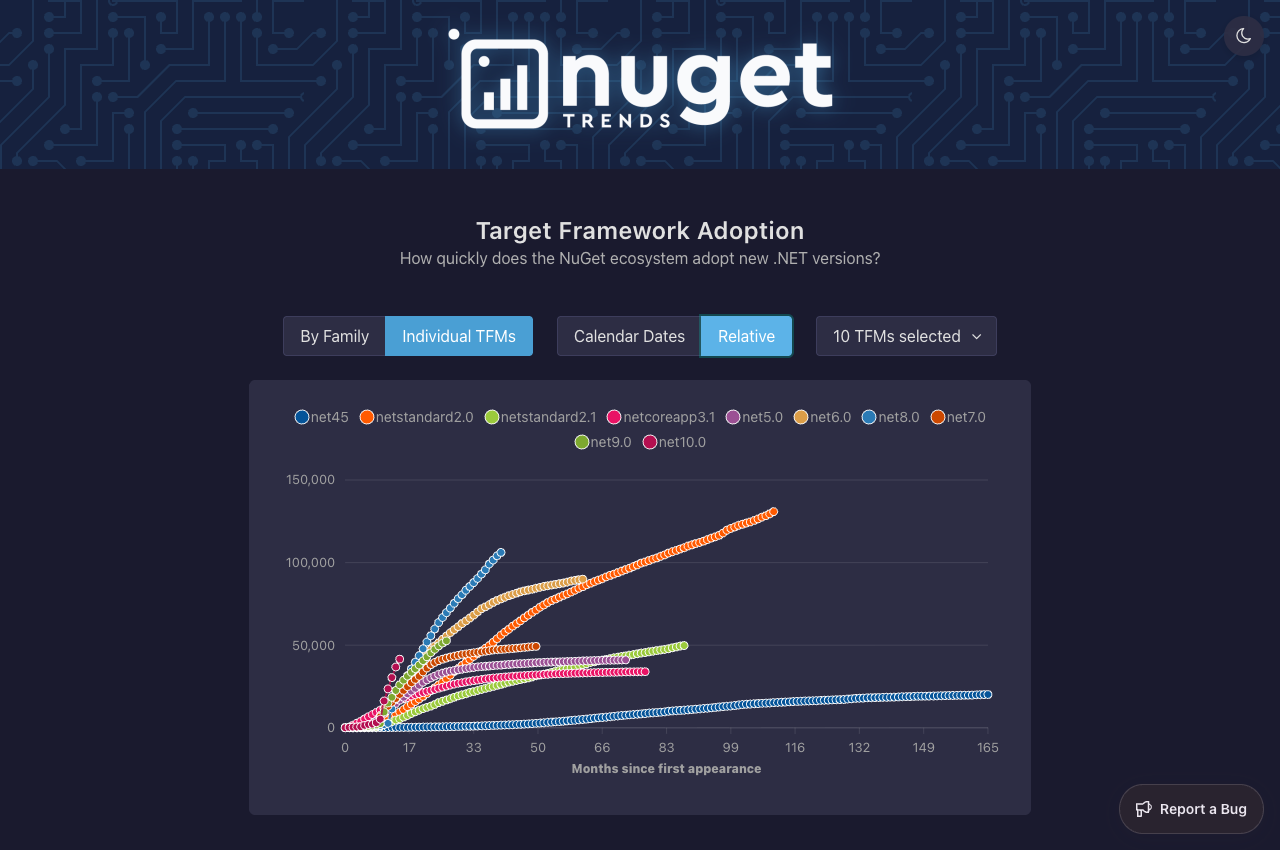
The Relative view is particularly interesting — it normalizes each framework to “months since first appearance”, so you can compare adoption speed across generations:
Under the hood, a weekly Hangfire job snapshots the TFM data from the NuGet catalog into a ClickHouse table. The API then serves this pre-aggregated data, keeping the page fast even with years of history.
Relevant PRs: #416, #435, #437
Trending This Week
The Trending This Week page highlights NuGet packages with the biggest week-over-week download growth. Think GitHub Trending but for NuGet. This was a feature request from 2024.
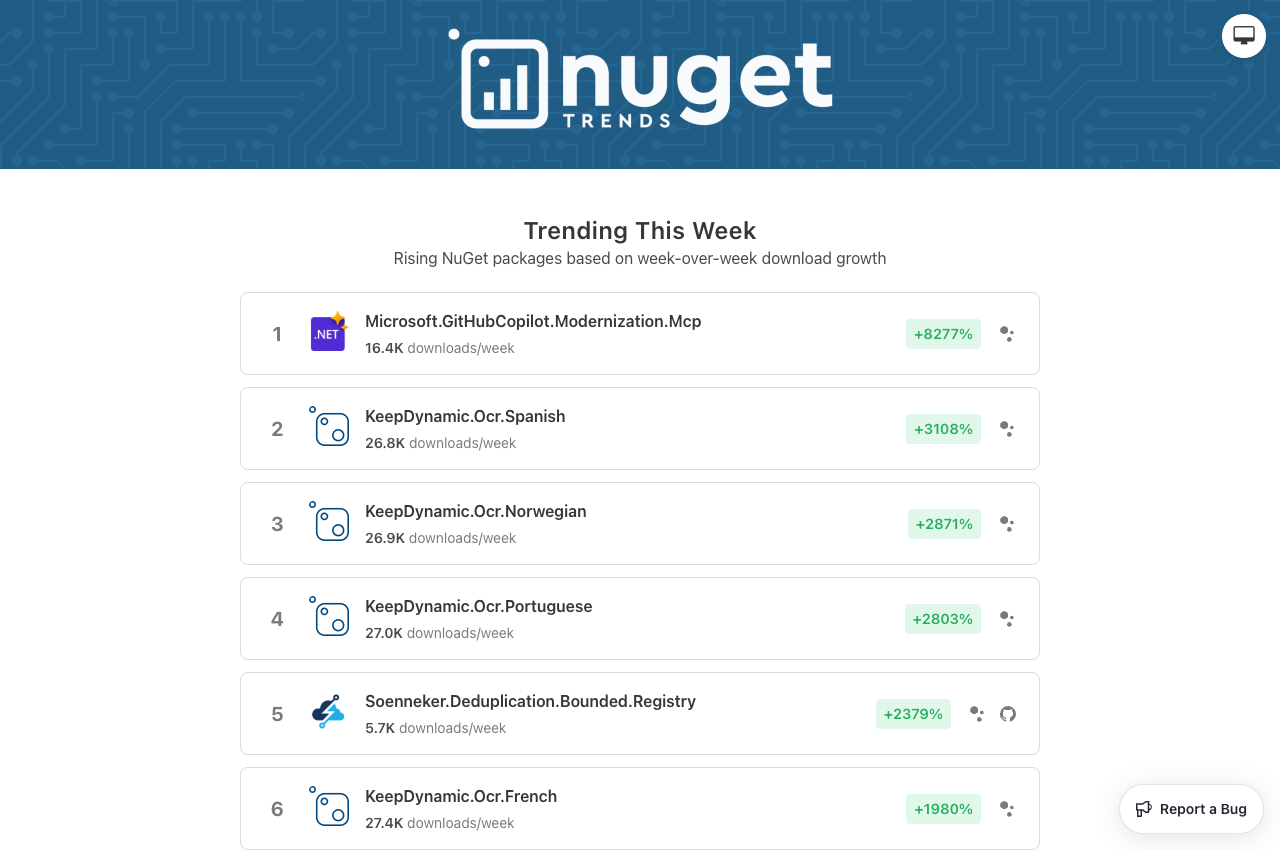
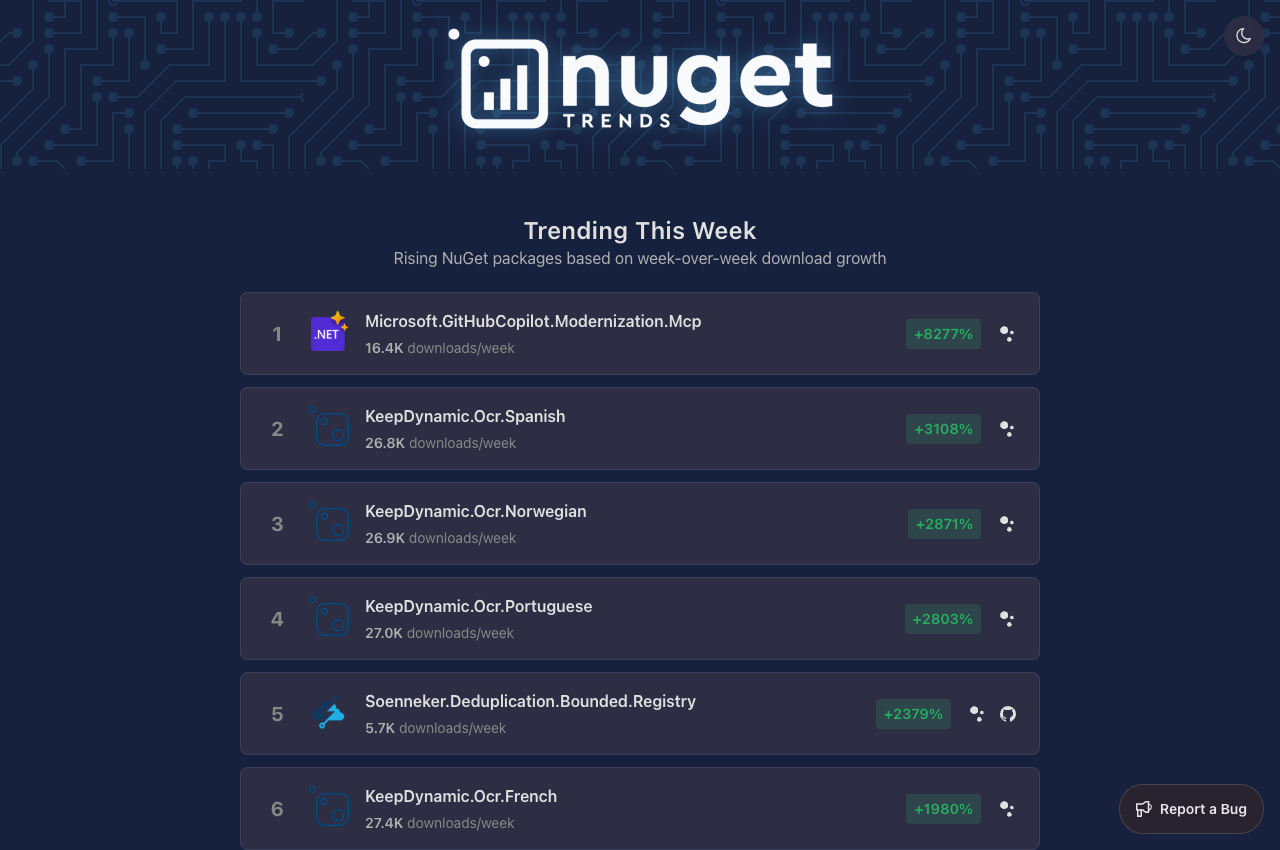
It favors newer packages (up to 12 months old) to surface emerging libraries, and filters for a minimum of 1,000 weekly downloads to reduce noise. At the time of writing, Microsoft.GitHubCopilot.Modernization.Mcp sits at the top of the list with +8277% growth.
Package Download Trends
The core of NuGet Trends hasn’t changed — you can still compare package download trends over time. When I first announced the site on Reddit ~8 years ago, one of the views I kept coming back to was the Sentry .NET SDK against other error monitoring libraries. I was working on the Sentry SDK at the time and this chart was my way of tracking how it was doing. Sentry has grown well beyond just error monitoring since then, so this isn’t really a full competitive picture — but it’s the view I’ve been watching for years:
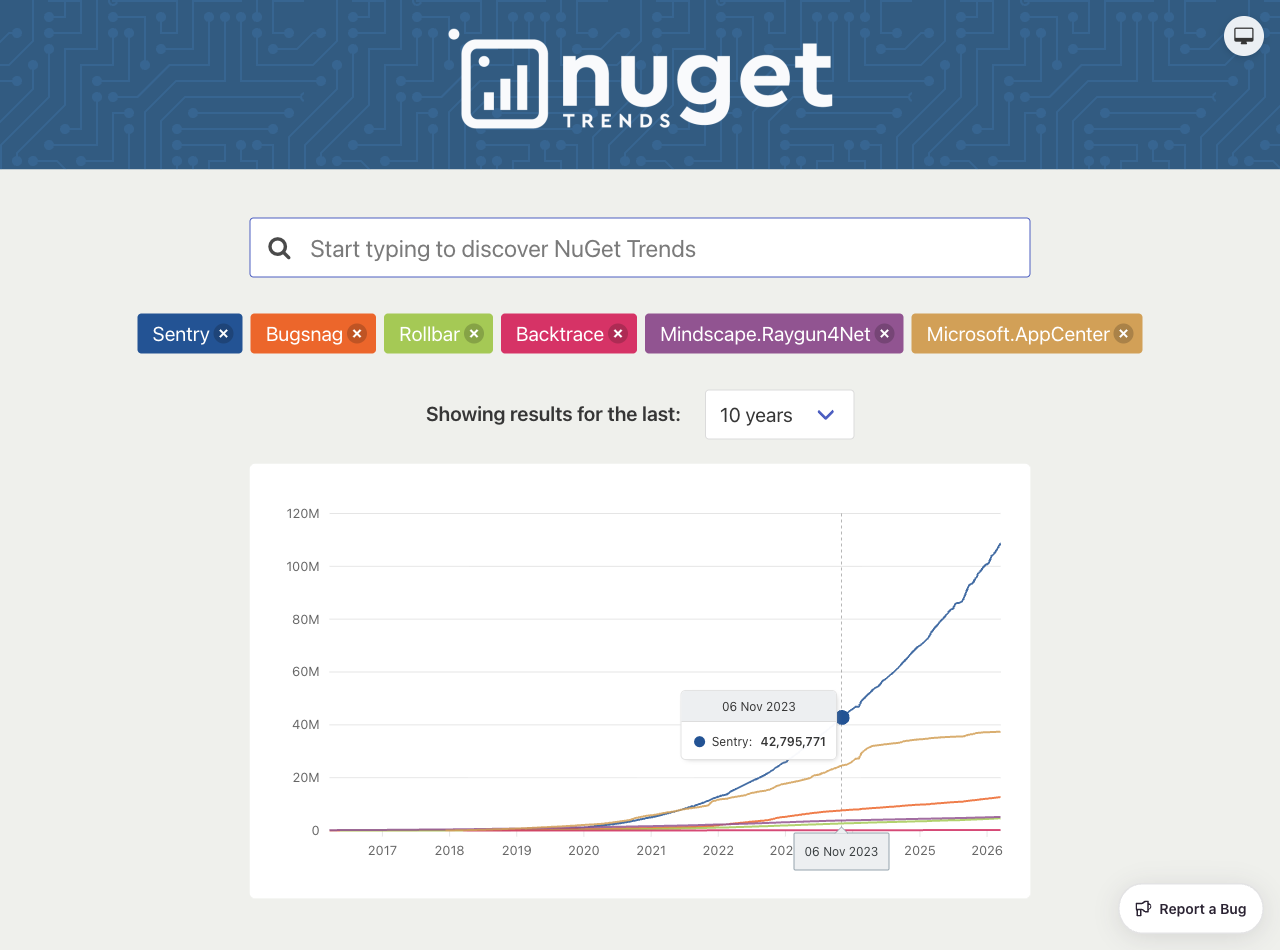
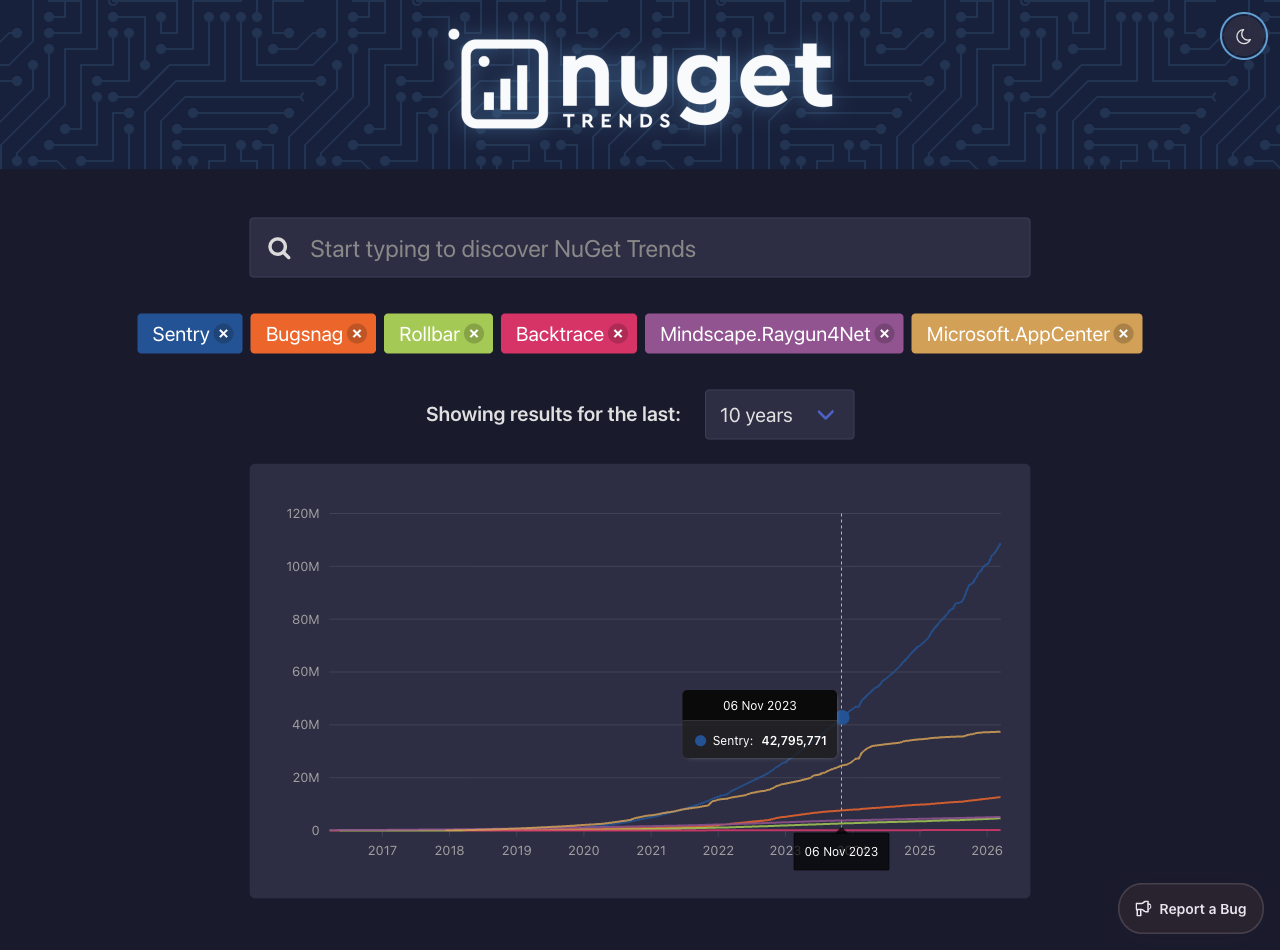
The new charts, powered by Blazor-ApexCharts, are a big improvement — smoother interactions, better tooltips, and they’re native Blazor components rather than JavaScript interop.
Scaling with ClickHouse
When NuGet Trends was first created in 2018, nuget.org had around 130,000 unique packages. Today that number is over 430,000 — more than tripling in under 8 years. Every one of those packages has daily download counts that NuGet Trends tracks over time.
For years, all that data lived in PostgreSQL. It worked fine early on, but as the dataset grew, queries got slower and slower — even with indexes. The charts needed data grouped by week, which meant aggregation on every request against an ever-growing table.
Rather than adding more pre-computation to PostgreSQL, the download data was moved to ClickHouse — a column-oriented database that’s a better tool for this kind of analytical workload. It adds operational complexity, but materialized views pre-compute the weekly buckets as data arrives, so the reads are essentially free. The trending page query went from taking several seconds and often timing out, to ~14ms. The TFM adoption feature also runs on ClickHouse from day one.
Relevant PRs: #288, #313, #384
From Angular to Blazor
The frontend was completely rewritten from Angular to Blazor — replacing 21k lines of Angular with 6k lines of C# and Razor. All with Claude Code.
The app now uses a hybrid rendering model:
- Static SSR for the home page and trending packages — fast first paint, SEO-friendly.
- Interactive WebAssembly for the search, charts, and theme toggle — rich client-side interactivity where it matters.
This means the whole stack is now C# top to bottom: ASP.NET Core on the server, Blazor WASM on the client, with Aspire orchestrating local development (#304).
IL trimming was also enabled for the Blazor WASM client (#430) to reduce download size.
Aspire
Local development used to be docker-compose. Now it’s Aspire — one dotnet run in the AppHost project starts everything: the web app, scheduler, PostgreSQL, ClickHouse, and gives you a dashboard with traces, logs, and metrics out of the box (#304).
The biggest productivity win, though, was making all ports dynamic (#372). Each clone of the repo derives a unique instance ID from its directory path, so Docker volume names and ports are different per checkout. This means I can run completely isolated instances of NuGet Trends side by side — one on main, one on a feature branch — without port conflicts. No more stopping one to start the other — which matters a lot when you have multiple Claude Code (or rather, my new favorite coding agent, pi) sessions working on different branches at the same time.
Dark Theme
I was tired of getting blinded when browsing NuGet Trends at night, so I did what every website on the Internet should do: added dark theme. It respects your system preference and lets you toggle between system, light, and dark. Your choice persists to localStorage.
The Sentry feedback widget also syncs with the app theme (#448).
Relevant PR: #328
Open Source and Contributions
NuGet Trends is open source under the MIT license, hosted at dotnet/nuget-trends. Whether it’s a bug fix, a new feature, or improving the docs — contributions are welcome. Aspire makes local development much easier to set up.
A special thanks to Sentry for sponsoring this project. Sentry provides the error monitoring and performance tracing that keeps NuGet Trends reliable.
If you find NuGet Trends useful, give it a ⭐ on GitHub!